For New Members:
Before using your account you must first set a password. After you have successfully submitted your membership application, you will be presented with a form to create your password. Enter your password twice and click on the Set Password button.
Tips: Don’t use a password you have used somewhere else. Set a password that is at least 16 characters in length. Use a Password Manager. Don’t share your password.
For Renewing Members:
Resetting a Forgotten Password:
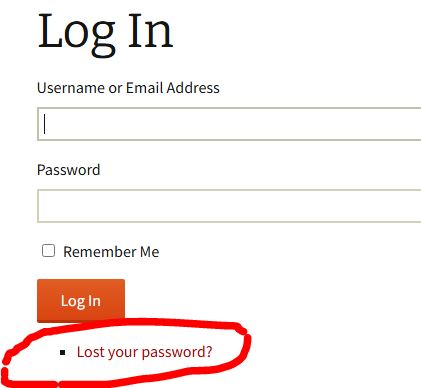
- On the Login screen, click on the Lost your password? link below the Log In button.
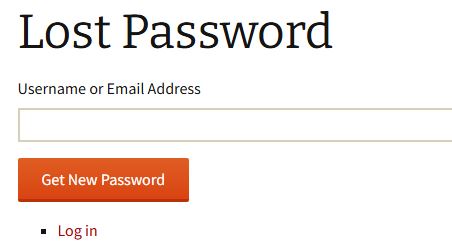
- Enter your Username or Email address and click on the Get New Password button. Do not click on the Log in link.
- Check your Spam or Junk folder. Most people are reporting that that is where the email is ending up.
- Follow the instructions in the email to enter a new password.
- Go back to the Login screen and log in with your new password.